
FOR ORGANIZERS
Running an event
You are running the tournament. This covers setup, getting a room checked in, running rounds, the top cut, and getting out of trouble when something goes wrong.
Quick reference
One pageRunning an event is free — At any size, permanently. There is nothing to buy.
Ranked events resize themselves at Round 1 — Rounds and top-cut size come from the checked-in count, not from what you set. See below.
Check in all — One button for the whole room, on the People tab.
A round must be closed before the next generates — Every match confirmed, then generate.
Rollback is the escape hatch — It deletes rounds from a point onward, and it is undoable for 14 days.
Scores are never edited — A correction is a new entry. The original stays in the log.
Create the event
The create wizard runs in four steps — Event, Format, Floor, Review. It saves as you type, so you can start it on a phone, close the app, and pick it up later.
Event
Name, date, venue and how many players you expect.Format
Swiss with a top cut, round robin, or King of the Hill. This is also where the tier is set, and where you pick the battle and match format.Floor
How many stadiums you have and what they are called. Names beat numbers — “Red Stadium” is easier to shout across a room than “Table 3”.Review
Everything on one screen before it exists.
Ranked events resize themselves — read this one
A Ranked event ignores the structure you set and uses the WBO bands instead.
When you generate Round 1, a Ranked event counts who is actually checked in and rewrites its own round count and top-cut size from the WBO's published bands. Whatever you chose in the wizard is a placeholder until that moment.
The practical trap: a top 16 becomes a top 8 at anything under 49 checked-in players. If you have told the room “top 16”, you will have to correct yourself.
| Checked in | Swiss rounds | Top cut |
|---|---|---|
| 2 – 8 | Round robin | No top cut |
| 9 – 16 | 4 | Top 4 |
| 17 – 32 | 5 | Top 8 |
| 33 – 48 | 6 | Top 8 |
| 49 – 64 | 6 | Top 16 |
| 65 – 94 | 7 | Top 16 |
| 95 – 128 | 7 | Top 32 |
Below 9 players a Ranked event converts itself to a round robin and drops the top cut. Above 128 it refuses to generate, because the WBO's guide does not define a structure that large — use Open tier for an event that big.
Open-tier events do none of this. What you set is what you get, and you can also reorder the tiebreakers below Wins. Both are locked once Round 1 exists.
Tiebreakers follow the WBO season the event is played in. From 1 September 2026 that is Median-Buchholz, points difference, points scored, then head-to-head; a round robin leads with head-to-head instead. An event dated before September keeps the previous order, so two events set up on the same day can differ — the Tiebreak Order card always shows what yours will actually use.
Add players
Players live on the People tab. You can add them one at a time, paste a whole list, or open registration and let them add themselves.
By name
Fastest at a desk. They do not need an account and can play the whole event this way.By account
Search for their username. Their results attach to their profile and count toward leaderboards.Linking the two
If someone was added by name and later makes an account, link the guest entry to it. They see a prompt telling them to ask you — that screen is your cue.
Before Round 1 you can set the seed order: Randomize, or by rating. By Ranked Elo uses a player's overall rating and so only appears on Ranked and Masters events, where people actually have one. By League Elo appears whenever the event is in a league, including Open ones — that is the case the other button has to refuse, and it is the more useful of the two at a weekly store night where everybody has twenty local matches behind them.
Guests are normal, not a fallback
Most people at a real event have no account and never will. The only thing they lose is a profile and leaderboard credit — everything about running the event works identically.
Judges and staff
Anybody with an account can be marked as a judge, including players who are competing — which is how most Beyblade events actually run. Co-organizers get the console too, and by default they keep playing.
Every organizer and judge on the Staff list carries a Plays / Doesn't play toggle, so somebody running the floor can be taken out of the playing pool without being dropped from the event. They keep their role and their console; they simply stop being paired or seated. Dropping them would say they left, which is a different thing and shows differently to everyone else.
Ranked and Masters co-organizers must be Registered Organizers
A co-organizer holds the same authority you do — pairings, closing rounds, rollback. Since only a Registered Organizer may run a sanctioned event, only a Registered Organizer may co-organize one. Open and Custom events are unaffected: add whoever you like.
Judges need accounts, because every score is recorded against whoever entered it. That is what makes the activity log worth reading afterwards.
Point your judges at the judge guide before the day. It has a practice mode that runs the real scoring screens without touching an event.
Check the room in
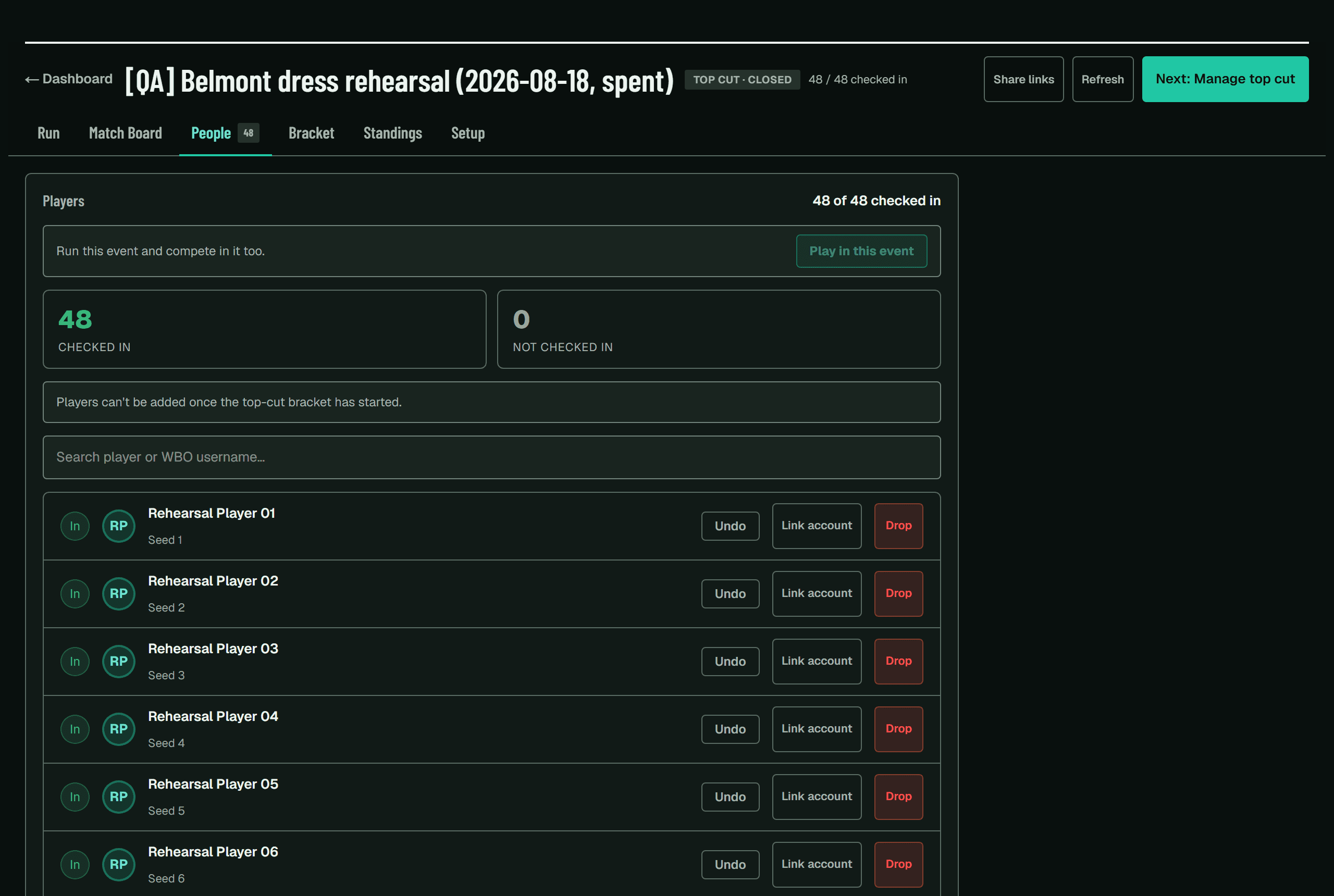
Check-in decides who is in Round 1. On the People tab, Check in all does the whole roster in one action — useful when everybody is already in the room and you just want to start.
Players can show a check-in code instead of giving a name. Scanning it is faster and avoids the two-players-with-similar-names problem.
Run the rounds
Rounds move in one direction only: paired, in progress, collecting, closed. They never move back.
Generate the round
Pairings are built from the standings. Once generated they are locked — that is deliberate, and it is what stops a round being corrupted halfway through.Matches get played and reported
Judges report from their stadiums. You can also enter a result yourself from the Run tab.Confirm
Confirming is what makes a result final. With a full round this takes a little while — it is working through them one at a time, so give it a moment.Generate the next round
Only possible once every match in the current round is confirmed.
A no-show is a set loss, not a forfeit
If a player does not turn up for their match, enter the full win for their opponent. There is no separate forfeit button, because Beyblade does not work that way.
Stadiums and the queue
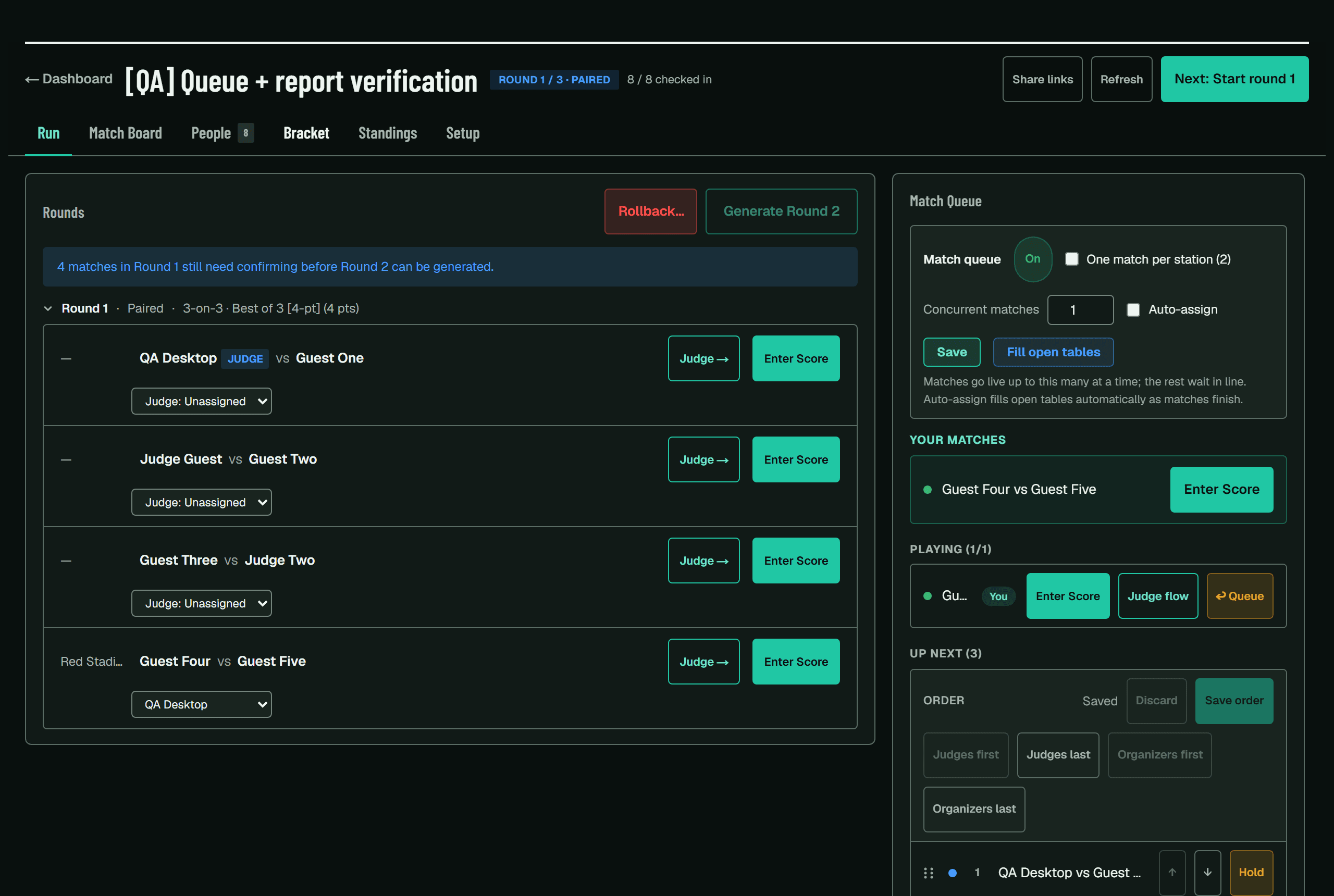
The queue is how matches reach stadiums. Judges either pull the next match themselves or have one assigned automatically, depending on how you set it up.
You can reorder the queue before releasing it — Judges first, Organizers last and so on — which is how you stop the people running the event being called away at the worst moment. Nothing is pushed to anyone's phone until you press Save order.
Running the room
Four things sit on the console for the day itself. None of them are required and none of them change how anything scores.
Judge requests
A table that needs a ruling raises one from the match screen instead of sending somebody to find you. Open requests show on the judging board, and claiming one stops two judges walking to the same table.Announcements
One line to the room — “Round 4 in five minutes”. It reaches the player app, the public board and the venue display at once, and you can retract it.Venue display
A full-screen board for a TV or projector, on its own link from Setup. It rotates through what is playing now, the standings and any announcements, and skips a panel with nothing in it rather than showing an empty one. No sign-in — open the link on whatever is attached to the screen.Stadium tags
Label a stadium Feature, On stream or Step-free. One of them does something: Reserved keeps auto-assign off that table, so you can hold it for a feature match.
Running the same event every week?
Save it as a template from the last step of the wizard and the next one starts from it — same game, format, rounds, optional rules and judge settings, with only the name and date to fill in. The one thing a template never restores is the date, because a template that did would create an event in the past.
Leagues
A league groups events into a season-long board. It carries two different things, and they count different events:
Standings
Who has won the most here, across every completed event in the league — Open nights included.League ratings
Who is hardest to beat here. A separate rating from a player's overall one, which only Ranked and Masters events can move, so a store's weekly Open night builds a real local ranking without touching anybody's national standing.
You can add other organizers to a league so they can put their own events into it. They can add and remove their own events and nothing else — not yours, and not the league itself.
Fixing a wrong result
Scores are append-only. Nothing is ever edited in place, so a correction adds a new entry and the original stays visible in the log. This is what lets you reconstruct what happened when two people remember a match differently.
Override
Change a single result. Say why — the reason is shown to the other organizers and stored in the log.Contest
Players can flag a result themselves inside the contest window. It lands with you to decide.
King of the Hill
Winner stays on. It is an Open-tier format with no fixed length, so it runs until you end it rather than until a round count is reached.
Scoring
Beating the king scores 1. Winning a match as the king scores 1. A draw scores nothing and leaves the king where they are, and so does losing.One score per player
Their total is every reign added together, not their best one. Three separate turns on the hill worth 2, 3 and 2 make 7. A tie is broken by whoever reached the total first.The queue
Players who have never had a turn come first, then whoever left the hill longest ago. If the next challenger is not at the table, Skip sends them to the back and Back in line undoes it. Judges can do this too — they are the ones standing at the empty hill.
A King of the Hill score is final the moment it is reported
There is no contest window — the hill has to free up for the next challenger, so the result confirms itself immediately. If something is wrong the remedy is Undo a Match… on the board, which is a rollback and is undoable for 14 days like any other.
Nothing ends a King of the Hill event on its own, because there is no last round to close. Use End Event when you are done, and Reopen if you were not.
Top cut
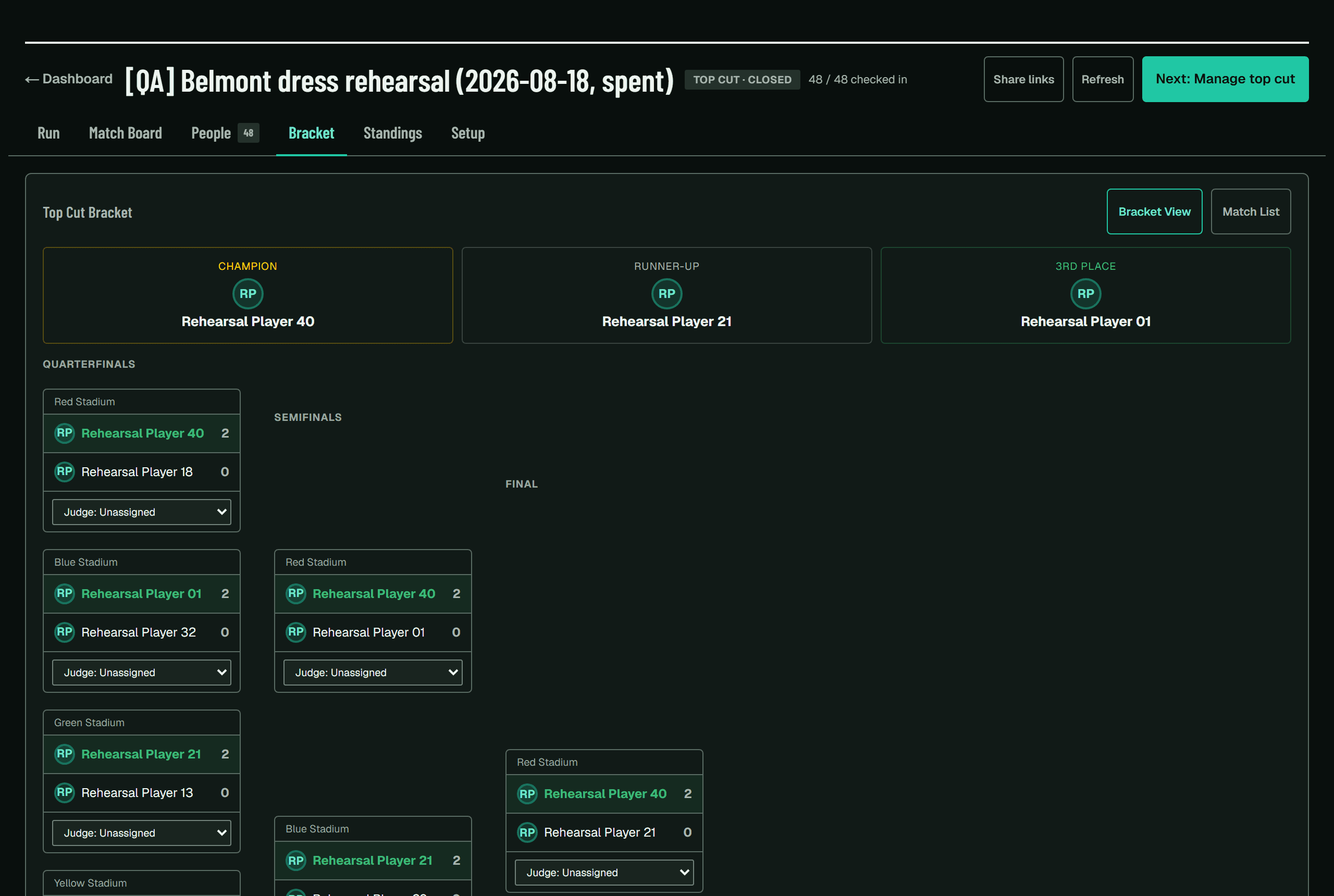
Once the last Swiss round is closed, generate the cut. The bracket is seeded from the final standings, and the third-place match is always created.
Each bracket round fills itself in as you confirm the one before it — semifinals appear when every quarterfinal is confirmed, not when the first one is. There is no separate button to advance the bracket.
When it goes badly wrong
Rollback is the escape hatch, and the only destructive thing in the app. It deletes the target round and everything after it.
Rolling back a Swiss round takes the whole top cut with it
The bracket is seeded from results you are about to delete, so it cannot survive. The app tells you this and makes you acknowledge it before proceeding.
It is undoable for 14 days
Everything deleted is archived first, and restoring puts the rows back exactly as they were. If you roll back in a panic and it was the wrong call, you have two weeks to change your mind.
The dropdown only lists rounds that have actually been played. A top cut creates all of its rounds at once — the semifinal and final slots exist before anyone plays them — and rolling back to an empty one would break the bracket rather than undo anything, so it is not offered.
After the event
When the final and third-place match are closed, the event reads as complete on its own — there is nothing you have to press. Results appear on player profiles, and Ranked and Masters events feed the leaderboards. It moves into Finished events on your dashboard straight away — one list holding events you ran and events you played in, each row marked which.
There is an End Event button in Setup if you want to close it off yourself. It matters most when an event stops early — people leave, or the venue closes — because an event that never reaches its last round would otherwise sit in progress forever. Standings as they stand become the final result.
Ending an event is reversible
If you end one by mistake, or the event turns out to be continuing after all, Reopen puts it straight back. Nothing is deleted either way.